MockDrift drift replay
Gate 1 intent-binding tests for AI agents — replay schema drift locally, then pull fixtures from hosted watches in CI.
Prerequisites: Python 3.10+, the open-source driftguard repo, and (for cloud replay) a DriftGuard API key with mockdrift_cloud enabled.
What you will build
- Run a local
mockdrift demoagainst a bundled fixture. - Wrap a pytest with
@drift_replayand a failure profile. - Enable MockDrift Cloud and copy a watch ID.
- Replay drift from that watch with
--simulate-driftin CI.
Step 1 — Install MockDrift
From the OSS monorepo, install the Python package in editable mode with dev extras (LangGraph reference agents):
cd driftguard/packages/mockdrift
python3 -m venv .venv && source .venv/bin/activate
pip install -e ".[dev]"
packages/mockdrift — the CLI entry point is mockdrift.Step 2 — Run a local demo
Smoke-test the harness without writing a test file. The stripe-required-field fixture simulates a breaking Stripe refund schema change:
mockdrift demo stripe-required-fieldA PASS verdict means criteria (schema_valid, no_loop_spiral, etc.) succeeded for the golden proxy entry.

Step 3 — Add a drift-replay pytest
Decorate a test with @drift_replay. Point entry at your LangGraph (or use runner="custom" for plain Python). Pick a failure_profile that matches how your agent should react to tool errors:
from mockdrift import drift_replay

@drift_replay(
    fixture="stripe-required-field",
    runner="langgraph",
    entry="agents.billing.refund_graph:refund_graph",
    failure_profile="bubble_to_orchestrator",
)
def test_refund_bubbles(mockdrift_session):
    result = mockdrift_session.run()
    assert result.verdict == "PASS"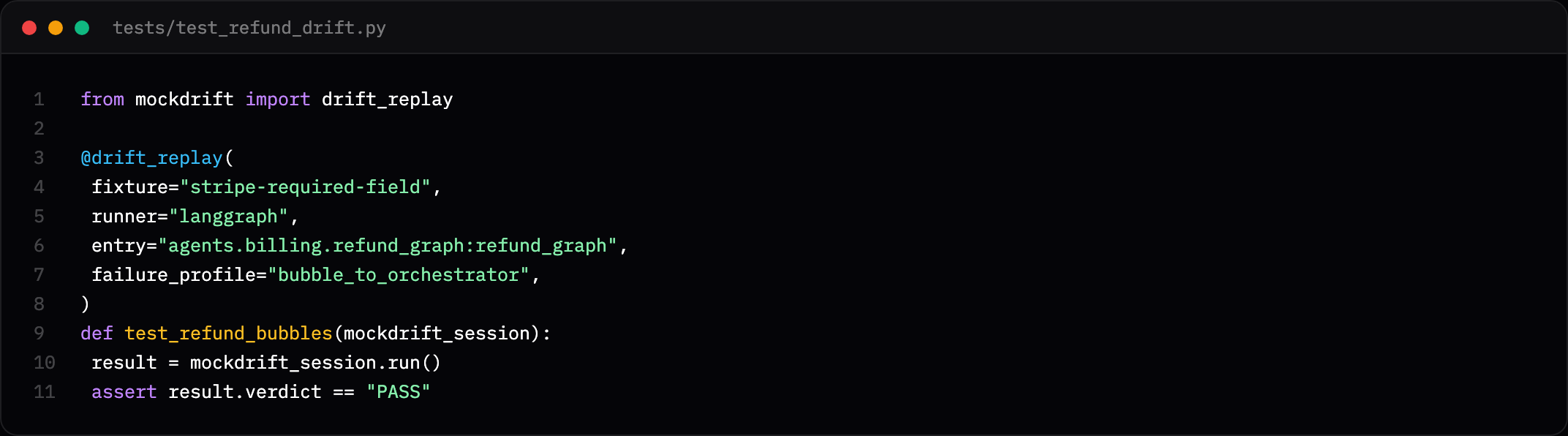
bubble_to_orchestrator, halt_clean, and fallback_state — see the reference LangGraph app in OSS.Run with:
mockdrift run --pytest tests/test_refund_drift.py -vStep 4 — API key and MockDrift Cloud
Cloud replay requires authentication:
- Copy your API key from /activate or the console Account → API keys panel.
- Open Console → sidebar Products.
- Enable MockDrift Cloud (
mockdrift_cloudSKU).
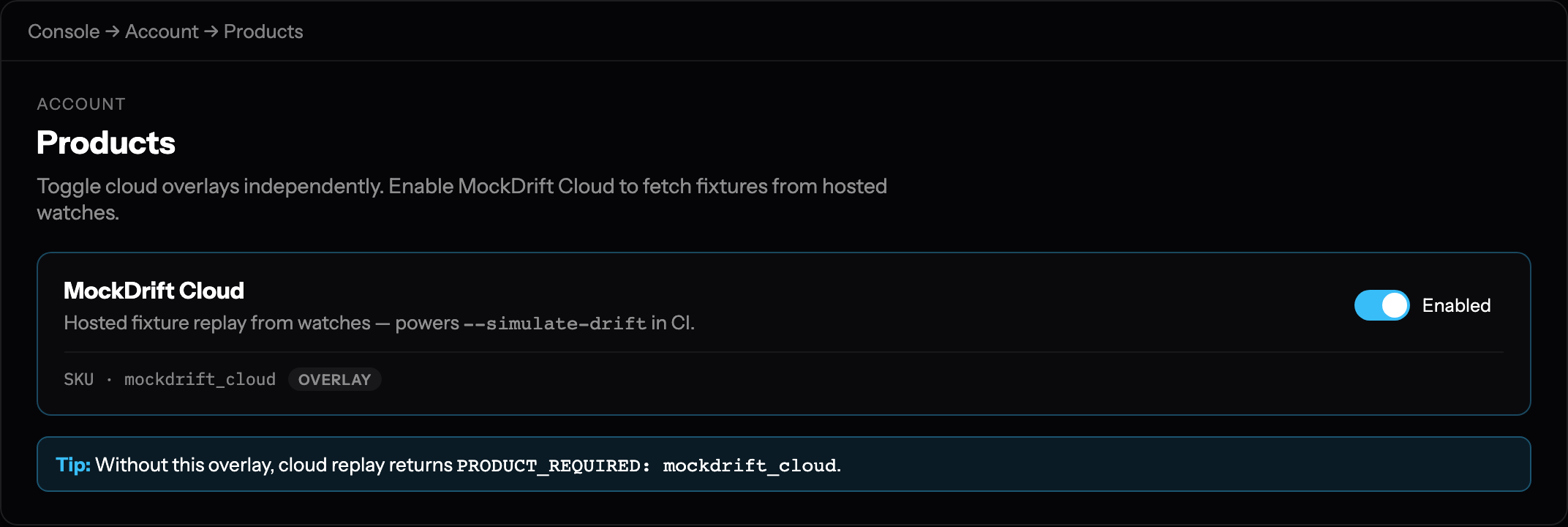
403 PRODUCT_REQUIRED: mockdrift_cloud on /v1/mockdrift/* routes.export DRIFTGUARD_API_KEY=dg_live_…
export DRIFTGUARD_API_URL=https://driftguard.orgStep 5 — Copy a watch ID
Cloud fixtures are keyed to a hosted watch — the same watch you use for schema monitoring. Open the watch in the console and copy its UUID:

Step 6 — Cloud replay with --simulate-drift
Fetch a fixture from the hosted API, materialize it under .mockdrift/cache/, and run pytest with env vars set for simulate-drift fixture resolution:
mockdrift run --pytest tests/ -v \
  --simulate-drift YOUR_WATCH_ID \
  --cache-fixture
When the cloud fixture is materialized, use fixture="simulate-drift" in @drift_replay instead of a local fixture key.
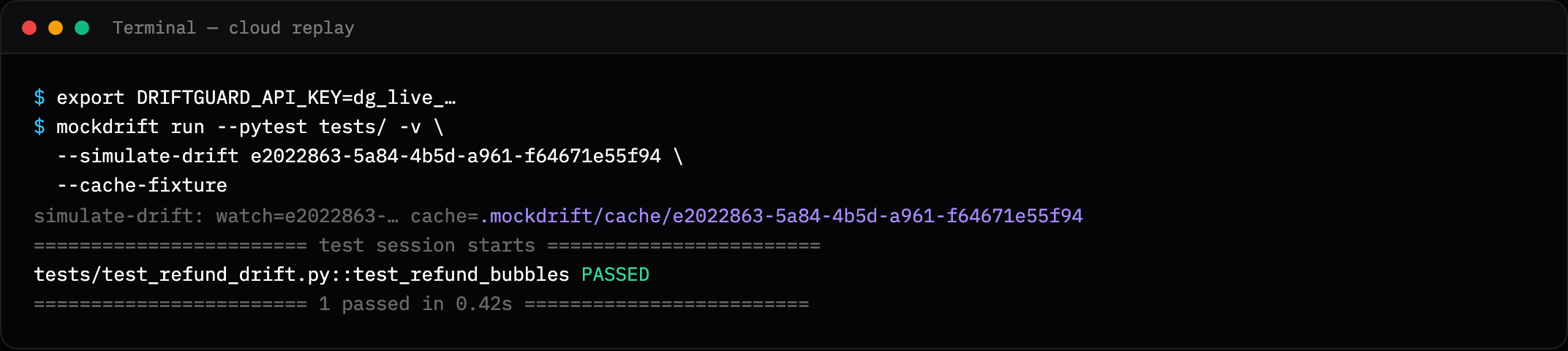
before.schema.json, after.schema.json, mock-responses/, cloud-meta.json.Equivalent pytest plugin flags:
pytest --simulate-drift YOUR_WATCH_ID --cache-fixture tests/API reference: POST /v1/mockdrift/fixtures/from-watch (same payload as simulate-drift).
Step 7 — GitHub Actions CI
Add the composite action from the OSS repo. Store DRIFTGUARD_API_KEY as a repository secret. Set MOCKDRIFT_TELEMETRY=0 to skip CI usage events.

.github/actions/mockdrift in kioie/driftguard.jobs:
mockdrift:
runs-on: ubuntu-latest
steps:
- uses: actions/checkout@v6
- run: pip install -e "./packages/mockdrift[dev]"
- uses: ./.github/actions/mockdrift
env:
DRIFTGUARD_API_KEY: ${{ secrets.DRIFTGUARD_API_KEY }}
MOCKDRIFT_TELEMETRY: "0"
with:
pytest-args: tests/test_refund_drift.py
simulate-drift: YOUR_WATCH_ID
cache-fixture: "true"Troubleshooting
| Symptom | Fix |
|---|---|
DRIFTGUARD_API_KEY is required | Export key or add GitHub secret; start trial at /start. |
PRODUCT_REQUIRED: mockdrift_cloud | Enable MockDrift Cloud under Console → Products. |
Watch not found | Watch must belong to the API key's account. |
| Cloudflare 1010 from Python | Use MockDrift ≥ 0.1.0 — sends MockDrift/0.1.0 User-Agent on cloud requests. |